Last weekend I picked up a set of invitations that had been drying in the studio for the previous week. A couple decided my tablescape design would be perfect for their engagement dinner — and I have to agree!
Last weekend I picked up a set of invitations that had been drying in the studio for the previous week. A couple decided my tablescape design would be perfect for their engagement dinner — and I have to agree!
This has been a week of getting very close finishing up several projects — thank God because I also happened to start quite a few new ones last week and I’m just barely keeping up.

Although I still have to cut and assemble the above invitation suite, they’re all printed and they turned out beautifully.
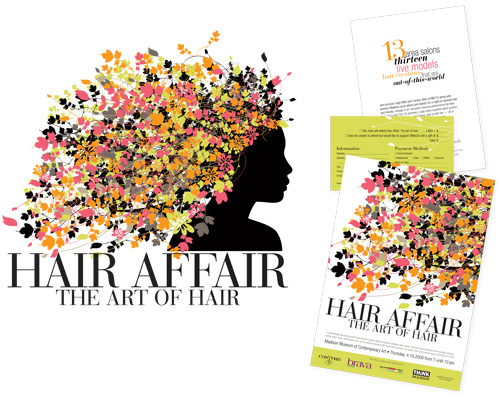
I’m also thisclose to wrapping up a project I mentioned waaaaay back in October for the Madison Museum of Contemporary Art. I designed the logo, save the date and invitation, poster and large-scale window clings that will soon plaster the front of the museum. A very special thanks to Jason Gaylor who created the foliage photoshop brushes that are and integral part of the whole identity.
I printed these lovely invitations for Jen & Bernadette’s summer wedding last weekend. They wanted a modern look with a nautical reference, so we created an abstract wave motif to carry throughout the wedding stationery. Along with the enclosures (pictures of which to come in a few weeks), they’ll be paired with silver envelopes — a stunning combination.

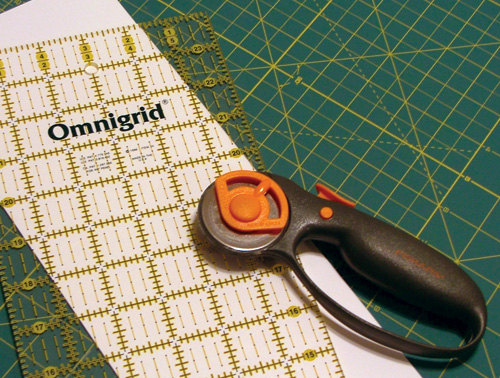
As I was cutting up paper for some wedding invitations I’m going to print tomorrow, it occured to me many of you may not know about some of my favorite tools. For small orders I cut my own paper (for large quantities, I take it to a commercial printer who cuts it with a guillotine — call around, many smaller printers are happy to do it, and charge much less than you think).
By far my most useful Christmas gifts, my mom (a quilter) introduced me to using a rotary cutter for graphic design projects in college. It’s superior to your average blade because it doesn’t tug at the paper while you’re cutting, creating a smoother edge and eliminating any possibility of tearing. To use a rotary cutter, you’ll need a self-healing mat (the green gridded thing in the picture) and guide — both by Omnigrid in this case. This system also eliminates any need to mark the paper.
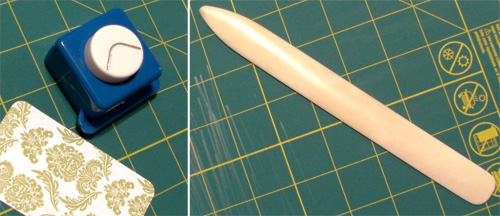
Other very useful tools: a corner-rounding punch and bone folder. I know, gross, bone — but any other scoring tool I’ve ever used crushes the fibers of the paper and leaves a shiny line (and doesn’t do as good of a job). All these tools should be able to be found at a good fabric/craft store — with the quilting and scrapbooking supplies, respectively.
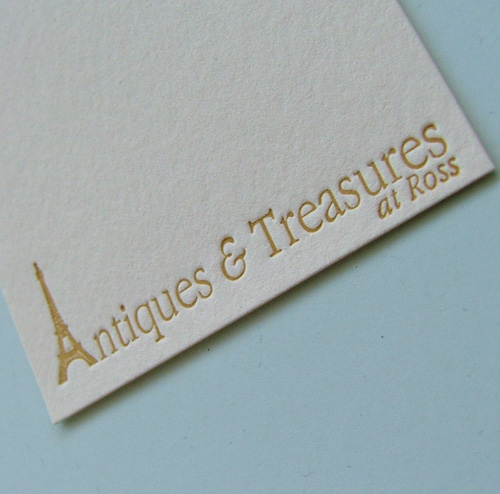
Last week I printed up a second order of earring tags for Antiques & Treasures, a french-themed boutique in Australia. I can’t believe how much my printing improved in just a few months — the first ones were perfectly acceptable, but these are gorgeous — deep impression, not an inking flaw to be found. Practice makes perfect, I guess!